 BLACKS-VISUAL
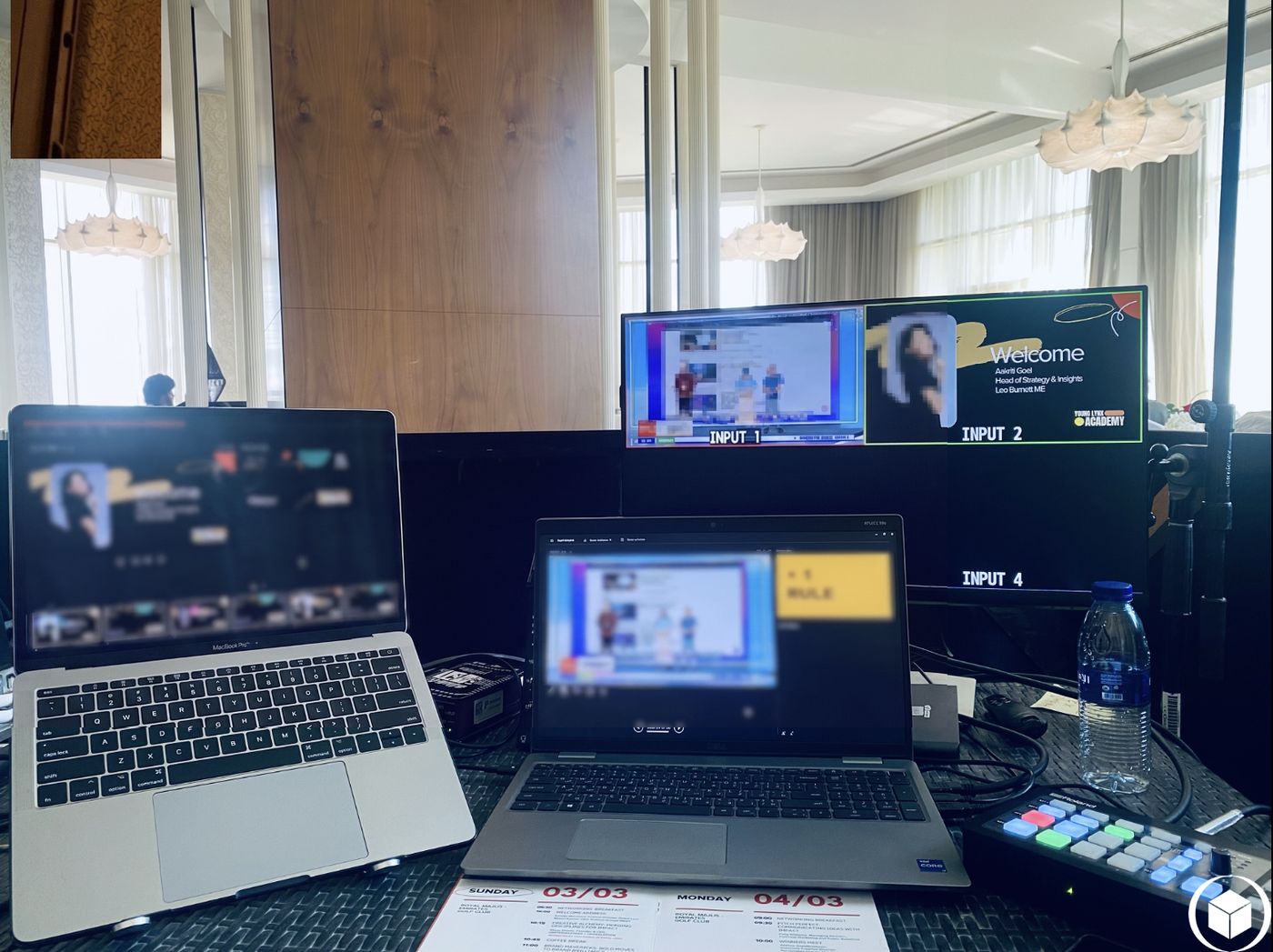
It looks calm because someone is making it look calm
From the audience seats, a well-run hybrid event looks almost boring — which is exactly the point. Nobody in the room should be thinking about the technology at all. But two metres behind them, at a small desk with two or three monitors, someone is watching four things at once: the camera framing, the audio levels, the remote participants' connection, and the slide deck queue. None of that is visible from the audience side. That's by design.
Before anyone arrives: the boring work that prevents the exciting problems
Most of what makes a livestream feel effortless happens an hour before the client even walks in. Every microphone gets tested at actual speaking volume, not a whisper check. The camera's preset positions get set for a standing speaker, a seated panel, and the lectern, so switching between them mid-event is a single button press, not a scramble. The connection to the remote meeting platform gets tested end-to-end, audio and video both, not just “is the wifi on.”
This is also when we find the problems nobody wants to find live: a boundary microphone placed too close to a speaker, a monitor confidence display facing the wrong way, a projector that hasn't warmed up to full brightness yet. Every one of these is a five-minute fix before doors open, and a genuinely difficult one to solve in front of a room.
During the event: watching for what's about to go wrong, not what already has
The actual skill in the control seat isn't reacting quickly — it's noticing early. A remote participant's video starts to pixelate slightly before it freezes outright. An in-room speaker drifts away from the microphone before their audio actually drops. A slide deck starts running behind the speaker's pace before it becomes visibly awkward. Catching these a few seconds early is the difference between an invisible correction and a visible interruption.
Switching itself follows a rhythm: wide shot to open, cut to the speaker once they're settled, bring in the slide or screen-share when it's referenced, back to the speaker for questions, wide shot again for a panel discussion. None of this is automatic yet on the equipment we run today — it's a person, making that call in real time, which is also exactly why the role needs someone who's watched enough live events to anticipate the next cut before it's needed.
When something does go wrong
It still happens: a router hiccups, a laptop sleeps mid-presentation, a microphone battery dies. The response that protects the event is almost never a dramatic fix in front of the room. It's a quiet backup path already prepared — a second switching route, a spare handheld mic already powered on, a direct camera feed ready to substitute for the main program while the issue clears. The client sees a two-second cut, not a crisis.
Why this matters if you're planning your next AGM or briefing
If you're the one organising the event, the practical takeaway isn't technical — it's about timeline. The setup and test window before doors open is not padding, it's the part of the job that prevents the visible failures. When you're scoping a hybrid meeting or AGM, build in that hour. It's the least exciting part of the day, and it's the reason the rest of it looks effortless.